
Ad Blocker for Me1.0 - App Store
You'll be able to see results in few seconds.
Publisher Description
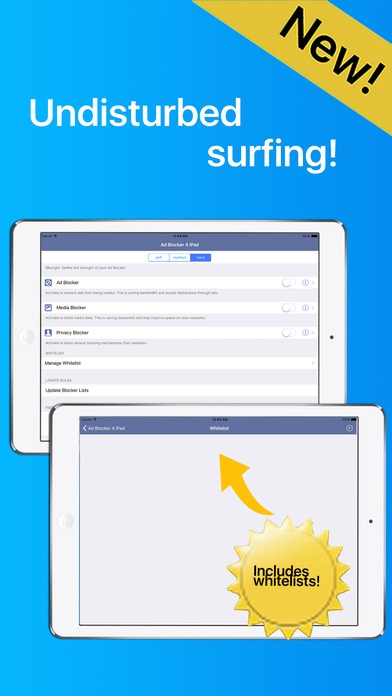
No ads, no clutter, and privacy protection: This is Ad Blocker for iPad.
Whitelist included!
Reduce stress and make browsing the web a relaxed experience on your iPhone or iPad. Stop wasting bandwidth, increase the download speed and be sure that nosy trackers do not collect private informations about you: That is what Peace of Mind is made for!
Blocking ads, media data and tracking mechanisms and other annoying content while you are browsing the web is equal to enhancing your experience.
Peace of Mind comes with a rule set that consists of more than 45.000 rules on the strongest setting, this grants an outstanding and unrivalled performance.
Relaxed and free of stress is also the setup. It is simple enough to squeeze it not this description, have a look below to know how it's done.
There are just 3 switches that makes the setup a piece of cake. Of course you can tweak your settings if you think you really need to.
Here's how it's done:
Switch Nr. 1:
Activate and de-activate the ad blocker. You could call this the main switch
Switch Nr. 2:
Activate and de-activate media data. Media data are consuming a lot of bandwidth. Activate this to save bandwidth when you are on a slow network, or generally when you don't need media data at all.
Switch Nr. 3:
Activate and de-activate privacy protection. Activating this blocks several tracking mechanisms from websites.
Besides of the 3 switches described above you have the option to define the strength of your ad blocker. You can choose between soft, medium and hard. In the strongest setting, which is called hard, the full set of rules is applied.
Furthermore a configurable whitelist is available. The whitelist contains pages that are exclude from the rules, defined by you.
To grant that your ad blocker is up to date you have the possibility to update your rules set.
And of course, there is a feedback button to send us comments about Ad Blocker for iPad - Add and Content Blocker.
Requires iOS 9.0 or later. Compatible with iPhone 5s, iPhone 6, iPhone 6 Plus, iPhone 6s, iPhone 6s Plus, iPhone SE, iPhone 7, iPhone 7 Plus, iPad Air, iPad Air Wi-Fi + Cellular, iPad mini 2, iPad mini 2 Wi-Fi + Cellular, iPad Air 2, iPad Air 2 Wi-Fi + Cellular, iPad mini 3, iPad mini 3 Wi-Fi + Cellular, iPad mini 4, iPad mini 4 Wi-Fi + Cellular, 12.9-inch iPad Pro, 12.9-inch iPad Pro Wi-Fi + Cellular, 9.7-inch iPad Pro, 9.7-inch iPad Pro Wi-Fi + Cellular, and iPod touch (6th generation).
About Ad Blocker for Me
The company that develops Ad Blocker for Me is Pilcrow AG. The latest version released by its developer is 1.0.
To install Ad Blocker for Me on your iOS device, just click the green Continue To App button above to start the installation process. The app is listed on our website since 2016-12-02 and was downloaded 0 times. We have already checked if the download link is safe, however for your own protection we recommend that you scan the downloaded app with your antivirus. Your antivirus may detect the Ad Blocker for Me as malware if the download link is broken.
How to install Ad Blocker for Me on your iOS device:
- Click on the Continue To App button on our website. This will redirect you to the App Store.
- Once the Ad Blocker for Me is shown in the iTunes listing of your iOS device, you can start its download and installation. Tap on the GET button to the right of the app to start downloading it.
- If you are not logged-in the iOS appstore app, you'll be prompted for your your Apple ID and/or password.
- After Ad Blocker for Me is downloaded, you'll see an INSTALL button to the right. Tap on it to start the actual installation of the iOS app.
- Once installation is finished you can tap on the OPEN button to start it. Its icon will also be added to your device home screen.
Program Details
System requirements
Download information
Pricing
Version History
version 1.0
posted on 2016-12-02
Disclaimer
Official App Store Link
We do not host Ad Blocker for Me on our servers. We did not scan it for viruses, adware, spyware or other type of malware. This app is hosted by Apple and passed their terms and conditions to be listed there. We recommend caution when installing it.
The App Store link for Ad Blocker for Me is provided to you by apps112.com without any warranties, representations or guarantees of any kind, so access it at your own risk.
If you have questions regarding this particular app contact the publisher directly. For questions about the functionalities of apps112.com contact us.
